

Price: $31.91 - $65.59
(as of Jun 15, 2026 22:05:08 UTC – Details)
Product description
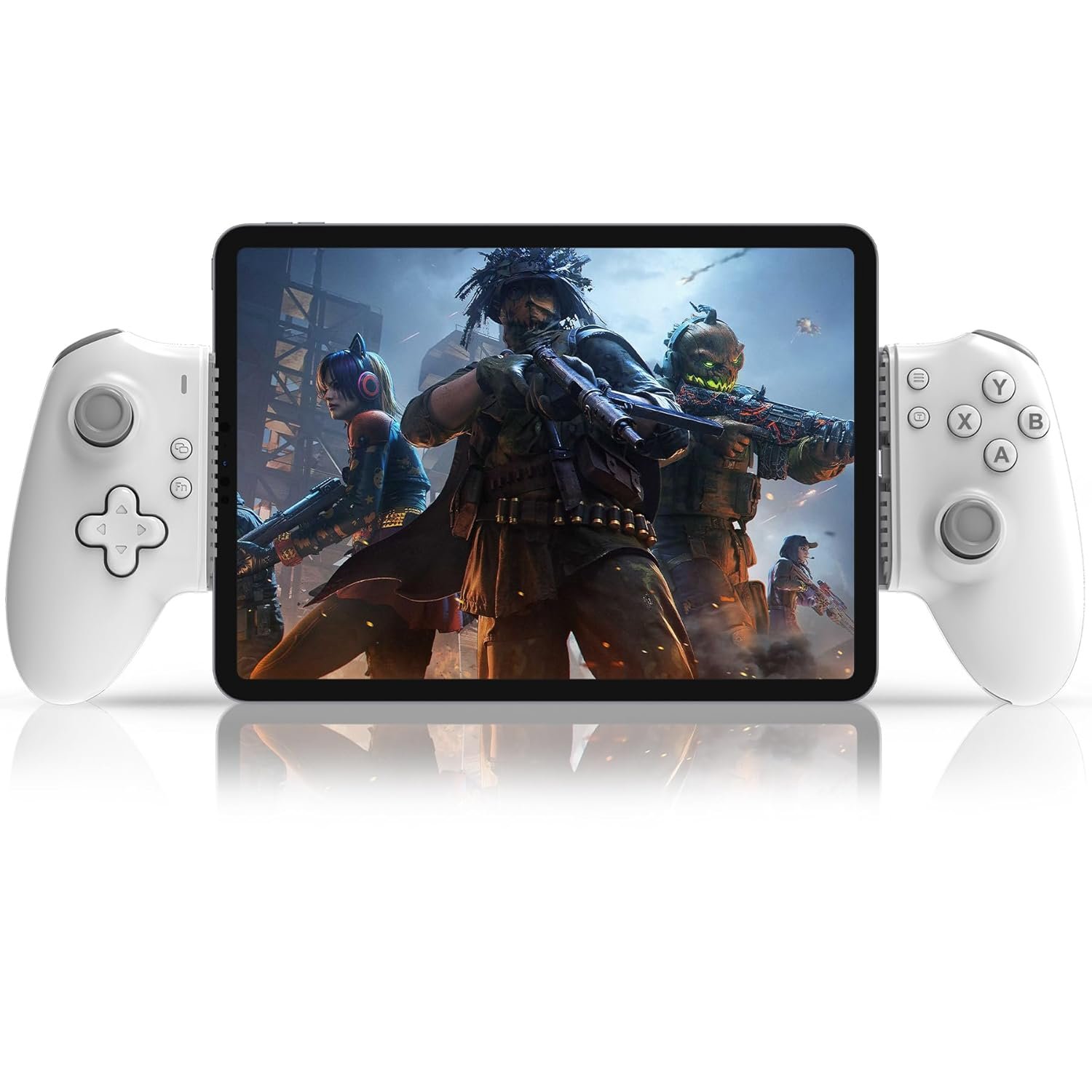
USB C Mobile Game Controller for iPad and Tablet

Direct Play on 6.7″-11″ USB C iPad & Tablet
Work with 6.7-11″ Screen Size USB C iPad:
Mobile gaming controller for iPad Pro (M4), 11″iPad Air (M2), 11″iPad Air, 10.9″iPad Mini, (A17 Pro) 8.3″iPad Mini, 8.3″ (Not compatible with iPhone & Lightning interface iPad)
Work with 6.7-11″ Screen Size USB-C Tablet
Android Gaming Controller for Samsung Galaxy Tab S9 FE 5G, 10.9″Samsung Galaxy Tab A9+, 11″, Galaxy Tab S8, 11″, Galaxy Z Fold7, 8.2″, Galaxy Z Fold6, 7.6″, Galaxy Z Fold5, 7.6″, HUAWEl MatePad, 11.5″S, MatePad, 11.5″, MatePad SE, 11“, Lenovo Tab M8 Gen 4 8.0″, Lenovo Legion Tab Gen 3, 8.8″, Lenovo Tab M9, 9″, Lenovo Tab Plus,11.5″, Lenovo Y700, 8.8″ and more (Not for Tablet /Android phone with Micro USB interface)
* For some Android Tablet , please enable phone OTG function in order to link with our controller successfully. You can search ‘OTG’ in your phone ‘Setting’ to see if you need to switch it on before using our controller

Hall Effect Joystick
The ipad controller hall effect sensing sticks deliver 360° seamless pinpoint control, provide the precision and durability that mobile gamers demand

Hall Effect Trigger
This tablet controller hall effect hall triggers offer unparalleled smoothness and responsiveness, giving you a competitive advantage in any game.

Pass-Through Charging
This ipad gaming controller support playing while charging your mobile devices.(Charger charging cable not included)

Macro Programming Function
Settings Macro Programming Function:
1. Press and hold ‘FN’ key, then press ‘M1’for 2 sec , the indicator light flashing slowly.
2. Press the key you want to set the macro programming function (e.g. ‘A+B+X+Y’ key), and then press the ‘M1’key once more, the indicator light flashes three times fast, the setting is completed at this time.
3. After setting, press ‘M1’ key, the function of A+B+X+Y will beautomatically used once. (This setting also applies to ‘M2’)
Turn off Macro Programming Function:
1. Press and hold ‘FN’ key, then press ‘M1’for 2 sec , the indicator flashing slowly (Note: do not press other buttons at this time)
2. Press the ‘M1’ key once more, the indicator light blinks three times rapidly, this represents the cancellation of the macro programming function.

Play your Xbox, PlayStation or PC from anywhere
Support streaming PS5/PS4 console, download ‘PS Remote Play’ APP from mobile phone
Please Note: Make sure your Sony login account on the PS remote play APP is the same as on your PS4/PS5 console.
Support streaming Xbox One/Xbox Series console, download ‘Xbox’ APP from mobile phone
Please Note: Make sure your Xbox login account on the Xbox APP is the same as on your Xbox One or Series console.
Support streaming PC, download ‘Steam Link’ APP for mobile phone, Download ‘Steam’ from PC
Please Note: Connect your PC and iOS/Android device with same network.
Supports Most Cloud Games:
Play amazing games on the ipad/tablet you have through Xbox Game Pass, Nvidia GeForce Now, Luna, Google Stadia or Rainway
Supports Most Controller Games:
You can download the games that support controller play in App Store/Google Play. For example: Call of Duty mobile(COD), Call of Duty: Warzone Mobile, Sky: Children of Light, Genshin Impact, Combat Modern 5, Asphalt 8: Airborne, Asphalt 9: Legends, Roblox, Minecraft, NBA 2K,Zenless Zone Zero, GTA: San Andreas Definitive, Honkai Impact 3 and more.
iOS Not for ‘PUBG mobile’Android not for ‘Genshin Impact’In COD gaming interface, if you’ve received a notice to choose a controller model within “PS4,PS5 and XBOX”. Please select “XBOX”Some controller supported games need to enter the game interface and select “controller mode” in the setting, such as “Genshin Impact” “COD”

Easy to Connect, Play Directly
If the controller indicator light does not come on, please hold the controller with both hands and push it towards the middle, the indicator light will light up

Packing list:
1x usb-c mobile gaming controller for tablet/iPad (type c interface)
1x user manual
Add to Cart
Add to Cart
Add to Cart
Add to Cart
Add to Cart
Customer Reviews
4.0 out of 5 stars 3
4.0 out of 5 stars 3
3.5 out of 5 stars 13
3.5 out of 5 stars 13
3.5 out of 5 stars 13
3.5 out of 5 stars 13
Price
— no data
$29.99$29.99 $29.99$29.99 $29.99$29.99 $34.71$34.71 $34.71$34.71
Compatible Devices
Type C iPhone & Android Phone Type C iPhone & Android Phone iOS/Android iOS/Android iOS/Android iOS/Android
Connection Mode
Type C + Bluetooth Type C + Bluetooth Bluetooth Bluetooth Bluetooth Bluetooth
Supports 6.7in -11in iPad and Tablets (USB-C): This mobile game controller is compatible with Type C interface iPad and tablet, supports screen sizes within 6.7-11 in and lengths sizes within 6.02-10.87 in for iPad and tablet: for iPad Pro(M4)11”/iPad Air(M2)11”/iPad Air 9.7”/iPad mini 8.3”; Galaxy Tab S9 FE 5G 10.9”/Galaxy Tab A9+ 11”/Galaxy Tab S8 11″, MatePad 11.5″S/MatePad SE 11″, Len-ovo Tab M8 8″/Legion Tab 8.8″ and most USB-C pad (Does not support mobile phones below 6.7in)
Hall Effect Rocker & Hall Effect Trigger: This android controller hall effect sensing sticks deliver 360° seamless pinpoint control, provide the precision and durability that mobile gamers demand. And the hall triggers offer unparalleled smoothness and responsiveness, giving you a competitive advantage in any game
Support Streaming/Cloud/Mobile/Emulators Gaming: This ps portal remote player controller supports streaming from PS5/PS4, Xbox one/Xbox Series S/X and PC consoles via PS Remote Play APP, Xbox APP and Steam Link App. Supports Xbox Game Pass, Nvidia GeForce Now, Luna, Google Stadia, Rainway, A pple Arcade, MFi games and emulators gaming & hundreds of popular mobile games including Call of Duty Mobile/CODM, Call of Duty: Warzone Mobile, Genshin Impact, Minecraft, Roblox, Diablo Immortal and more
Turbo & Macro Programming: This ipad game controller has turbo function and 2 back buttons (M1&M2) You can set them up A/B/X/Y/LT/LR/RB/RT/D-Pad to make your operation in game more convenient
Plug and Play- Zero Latency: This tablet game controller only needs to connect the type c port to your cell phone to play directly without the hassle of connecting Bluetooth.1000Hz High Return Rate reduces latency in the game, making the operation faster and more precise, which improves the gaming experience and allows you to win in the game easily
Movable Type-C Port and Pass-Through Charging: The moveable Type-C port ensures a reliable connection to your iPad/Tablet, providing unrivaled smoothness and stability. Plus, you can charge while you play!It supports PD fast charging, with a maximum charging current of 12V/3A and a maximum charging power of approximately 36W. (To support maximum 36W PD fast charge, an extra PD wall charger adapter (not included) and Type-C cable(not included) are both required)
Tips for Cloud Gaming Controller: Please use this mobile game controller to play games on a high-speed and stable network. This is because cloud games have high network requirements and require a high-speed and low latency network environment to reduce latency caused by network congestion and enhance the gaming experience